For online tutors who use OneNote
OneNote for online tutoring: how to share it with a student, and when a board is simpler
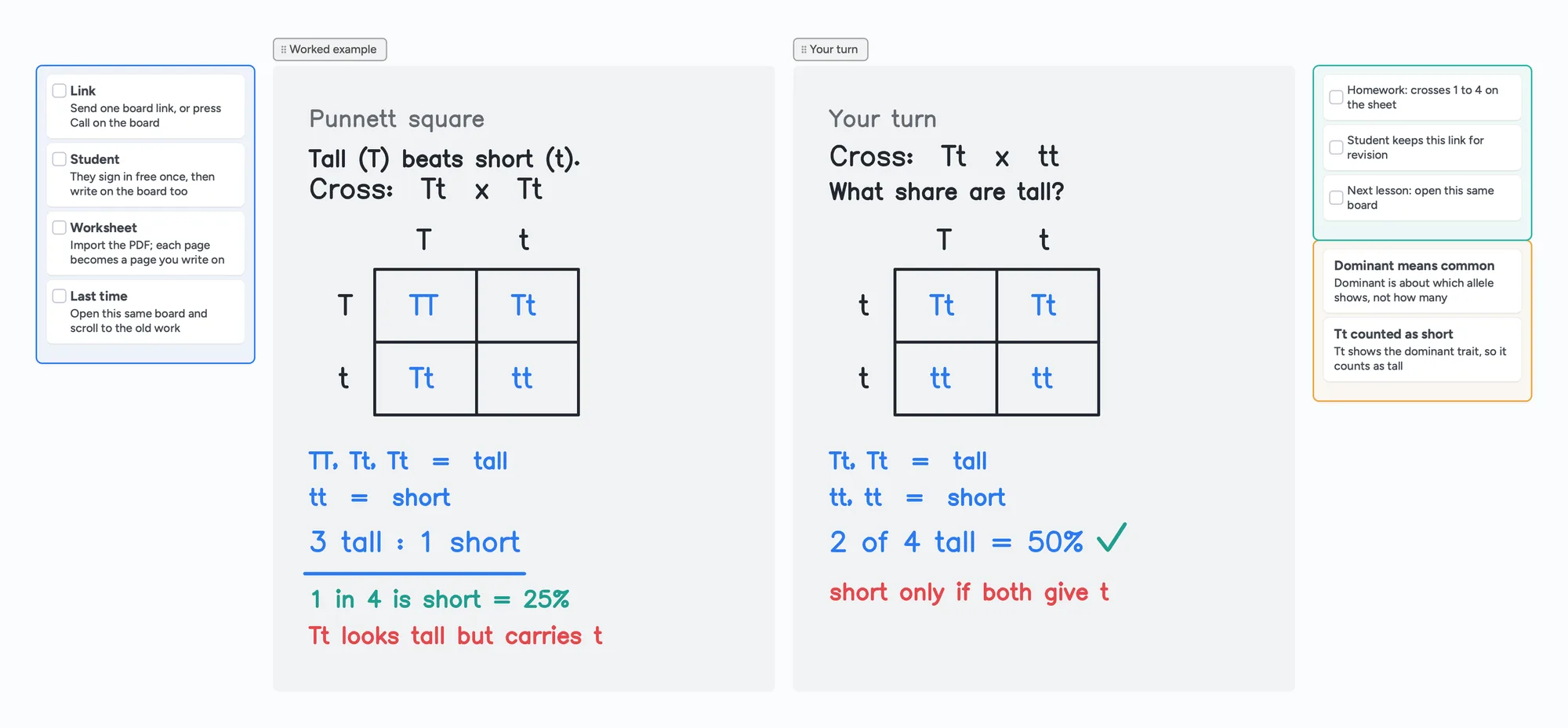
Plenty of tutors run lessons from OneNote and a video call. It is a good notebook, and the sharing steps are short once you know them. This page walks through what Microsoft's own help pages say about sharing a notebook, where OneNote is the better choice, and where a tutor who only needs one page to write on with a student might prefer a single board link. The board below is a filled biology lesson (Punnett squares) you can open and use as your lesson page.
Updated
The short answer
- To share a OneNote notebook, Microsoft says to use Share, then either invite people by email (can edit or can view) or copy a link. The notebook has to be saved in OneDrive or a SharePoint site first.
- Sharing is by notebook, not by page. Microsoft's help says a link to a section shows the entire notebook, and that sharing a single page is no longer offered.
- OneNote is the better tool for a long-term notebook. Microsoft's search page says you can search text, handwriting, images and spoken words in audio and video recordings.
- Instaboard is a different shape: one board link, a student who signs in free to write, and a built-in call that is free for 60 minutes. It has no handwriting search and no recording.
A problem one tutor reported
In a Microsoft Q&A thread from December 2024, a tutor on a personal account said their shared link opened only in the browser for students using personal Gmail accounts, and the Open in App button was missing, while the same link worked for students with school accounts. A Microsoft specialist replied that the link format was correct and suggested checking the Shared view in OneDrive. This is one person's report and Microsoft's answer, not a general rule, so test the link with your own student before the first lesson.
Where OneNote is the better choice
- Search across everything you've kept. Microsoft's search page says OneNote can search text, handwriting, images and spoken words in audio and video recordings, in a page, a section, a notebook or all notebooks. Audio search is off by default.
- Text from pictures. Microsoft's OCR page describes copying text from a picture you inserted. It says results depend on the image and some can take 24 to 48 hours to become available.
- Handwriting turned into text. Microsoft's handwriting page describes Ink to Text with Lasso Select, and says it isn't available in OneNote for the web.
- Sections and pages that grow over a year. It is built as a notebook. An Instaboard board is a canvas, so a long history is scrolling and searching by eye.
- A notebook you already use. If your lessons and your notes already live in OneNote, moving them has a cost.
When one board link is simpler
An Instaboard board suits a tutor who wants the lesson page itself to be the shared thing.
- One link, one lesson page. Anyone with the link can view without an account. To write, the student signs in free, with Google, Apple or email.
- The call is on the board. Press Call on the board and talk there. Calls are free up to 60 minutes, and you can keep Zoom or Meet instead if you want longer free calls.
- Both of you write on the same page, the tutor in one colour and the student in another, with a worksheet imported as a page you can write on.
- Free boards are shared by link, so use first names only. Invite-only boards are on Pro.
If you tutor with Zoom and a tablet, the iPad and Zoom guide and how to teach math online show how the pieces fit. For after-lesson notes, see the session notes template.
What Instaboard doesn't do
- No search across boards and no handwriting search. Ink is drawing, not text.
- No recording of the lesson, no class mode and no AI.
- Whole-stroke eraser only. You can't erase part of a stroke.
- Free covers 5 boards. Each imported PDF uses one of them. Cards and lists count toward 150 items across your account; pen strokes don't.
- No import from OneNote or other notebook apps. PDF import only.
- Not offline-first. Changes are kept and sync when you're back online.
- Students and parents sign in to write. Viewing needs no account.
Start from the ready board
It opens in your browser in a few seconds, with nothing to install. Sign in for free when you want to save it and share it.
Questions
How do I share a OneNote notebook with a student?
Save it in OneDrive or a SharePoint site, then use Share. You can invite the student by email with can edit or can view, or copy a link. Microsoft's help says a forwarded link lets others see the notebook too.
Can I share just one OneNote page with a student?
Microsoft's help says sharing a single page is no longer offered, and that a link to a section shows the entire notebook. Instead, Microsoft suggests emailing a snapshot of the page or copying it into a new notebook that you share with that student only.
Can a student write in a shared OneNote notebook?
Yes, if you give them can edit. Can view lets them read only. You can change this later in OneDrive under Manage Access.
Why does my OneNote link not open in the app for my student?
One tutor reported this for students with personal Gmail accounts in a Microsoft Q&A thread in December 2024, and a Microsoft specialist suggested checking the Shared view in OneDrive. Test the link with your student before the lesson.
Can OneNote search my handwriting?
Microsoft's search page says you can search text, handwriting, images and spoken words in recordings. Instaboard can't search handwriting.
Does the student need an account to open an Instaboard board?
No to view. To write on the board, the student signs in free with Google, Apple or email.
Is Instaboard free?
Yes. The free plan includes 5 boards, 150 cards and items across your account (pen strokes, arrows and sections don't count), 3 images and 1 file per board, unlimited collaborators and video calls up to an hour. Pro is $5 a month billed yearly ($59.99 a year), or $7.99 monthly, and the people you invite join free.
Sources
- Microsoft Support: How to share a OneNote notebook
- Microsoft Support: Change permissions for a notebook on OneDrive
- Microsoft Support: Sync a notebook in OneNote
- Microsoft Support: Take handwritten notes in OneNote
- Microsoft Support: Search notes in OneNote
- Microsoft Support: Copy text from pictures and file printouts using OCR in OneNote
- Microsoft Q&A: Sharing a OneNote notebook so the other person can open it (December 19, 2024)
Related
An online whiteboard for tutoring that works the way you teach
A free whiteboard for online tutoring: paste the worksheet, write with a pen, and your student answers on the same board. Call on it or beside Zoom.
Use your iPad as a whiteboard on Zoom (and let your student write too)
How to use an iPad and Apple Pencil as a whiteboard in a Zoom lesson: screen mirroring, Zoom Whiteboard, or a shared board your student writes on too. Or skip Zoom and call right on the board. Step by step, with the echo fix.
How to teach math online: your first lesson, step by step
How to tutor math online as a beginner: what you need, how to run a first lesson on a board your student writes on too, with Zoom, Google Meet or no video app at all, and what to do without a whiteboard.
A tutoring session notes template, filled in so you can see how it reads
What to write after each tutoring session: outcome, what went wrong, evidence, next task and a short parent note. A copy-and-use template and a filled board you can send as one link.
Online tutoring setup: what you need before your first lesson
What you need to start tutoring online: sound, light, camera, internet, a way to write, and a board your student writes on too. A plain checklist with a five-minute test call and a ready board to open.